 ZigDash
How I replaced my PalGate subscription with a $10 Zigbee relay
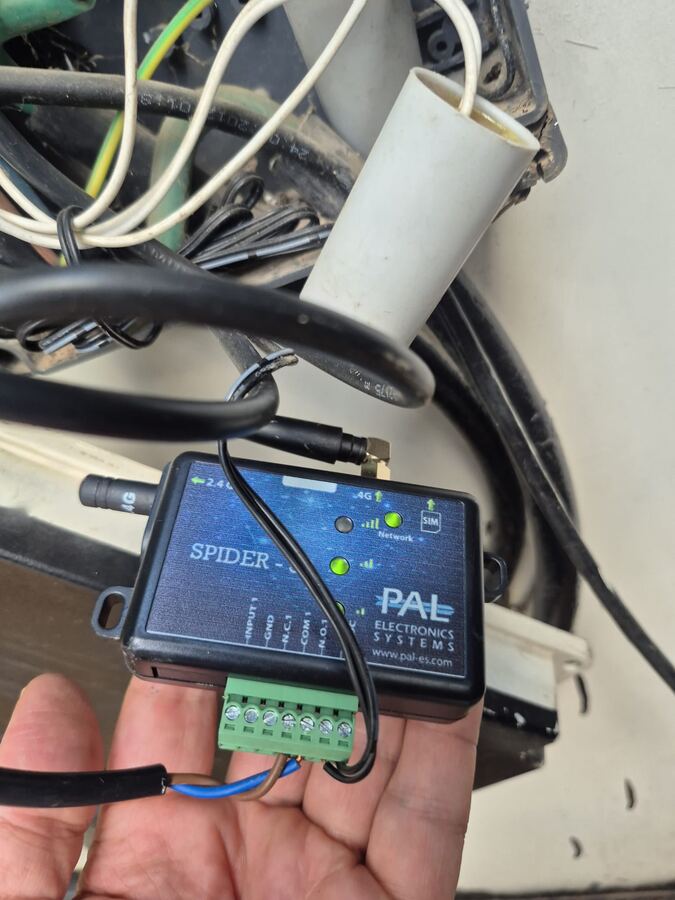
My driveway gate opened from the phone through a PalGate Spider-50: a 4G box with its own SIM card, and a subscription of ₪300 a year. I took it out and put in a Zigbee relay that cost $10 (about ₪37), once. Now I open the gate from a tile in ZigDash, at home and from anywhere.
₪300 every year for the subscription, or about ₪37 once for the relay. The relay paid for itself in about six weeks.
How a phone opens a gate
A gate controller has an open (or start) input: two terminals that open the gate when they are connected together, just like the button on a gate remote. The Spider is a relay with a SIM card. When the PalGate app or a phone call asks it to, it connects those two terminals for a moment.
A Zigbee relay does the same job. The only difference is who tells it to close: your own Zigbee hub at home, instead of a cellular service you pay for every year.
What you need
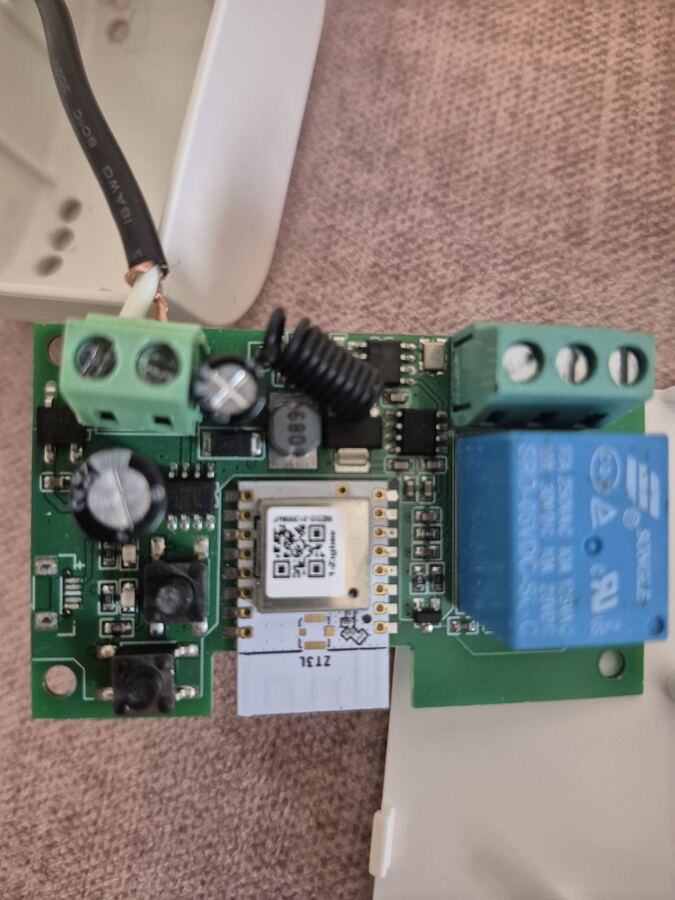
- A Zigbee dry-contact relay. Mine is a "1 channel Zigbee/WiFi Tuya smart relay, dry contact NO/NC/COM" from AliExpress, about $10. It's sold in WiFi and Zigbee versions: choose Zigbee (the board has a ZT3L module). It is also sold for different supply voltages; I took the AC 85–250V one.
- Dry contact is the important part. A dry contact is a plain switch with no voltage of its own: it only connects COM to NO, exactly like the button of a remote. A relay that sends voltage out on its terminals (the kind made for switching a lamp) can damage the gate controller's input. Look for "dry contact" and terminals marked COM, NO and NC.
- A Zigbee2MQTT hub at home that reaches the gate. I already had one (an SMLIGHT SMHUB) for the rest of the house. If you don't, see Hubs.
- ZigDash on your phone (Google Play). Opening the gate at home is free. Opening it from anywhere uses ZigDash Pro's remote control: a one-time purchase, no subscription.
1. Pair the relay with ZigDash
Pair it at home first, on the table, before it goes into the gate box.
- Power the relay.
- In ZigDash, open Devices and tap Start pairing.
- Press and hold the relay's button until its LED blinks. That puts it in pairing mode.
- ZigDash shows Ready with the new device. Rename it Gate.
Tap it on and off a few times and listen for the relay's click.
2. Take out the Spider
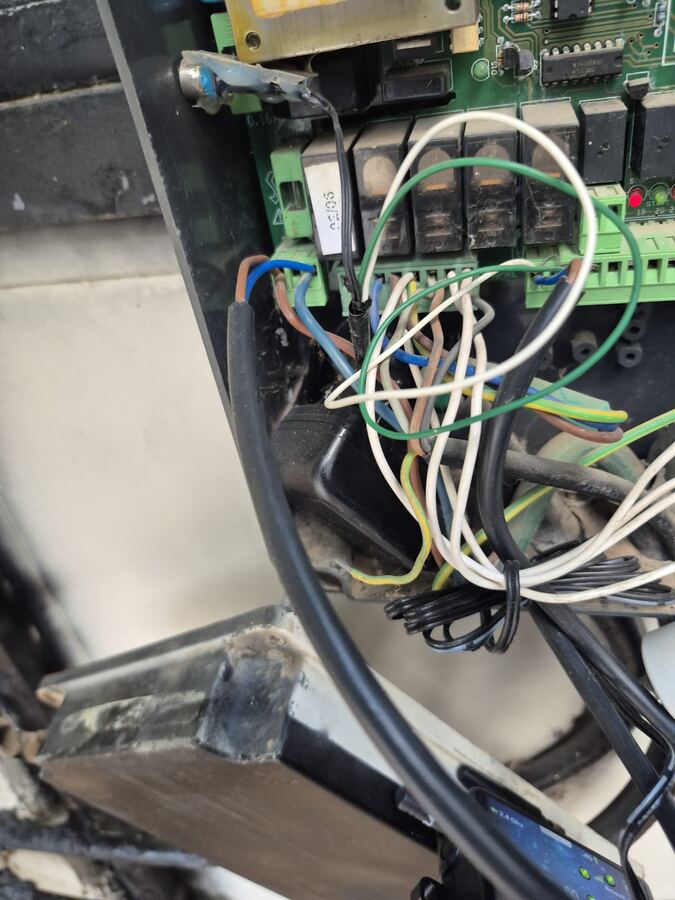
- Find the two wires that go from the Spider's relay output (COM1 and N.O.1) to the gate controller's open input. Mark them.
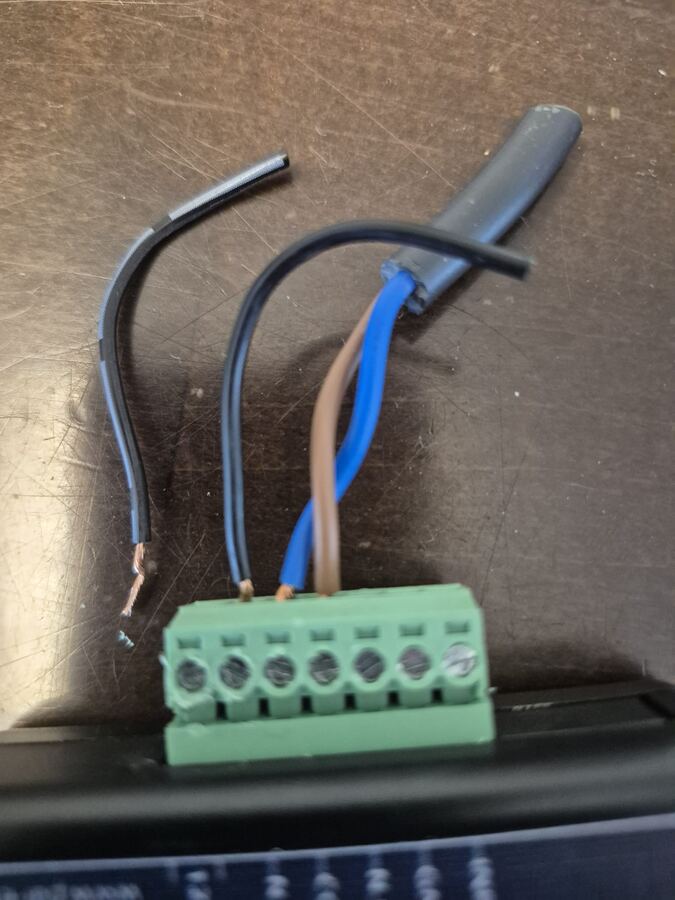
- Unscrew the Spider's terminal block, and disconnect the Spider's power.
3. Wire the relay
- Output: the two open-input wires go to the relay's COM and NO. Leave NC empty. On a dry contact the order doesn't matter.
- Power: the AC 85–250V version takes mains directly, like a phone charger: two wires, live and neutral, from the gate's 230V supply.
- Close the relay's case, put it where it stays dry, and turn the breaker back on.
4. A Gate tile in ZigDash
- On your dashboard, tap Add from a device and pick Gate.
- Tap the tile: the relay closes and the gate starts moving, just as with the remote.
- The gate's open input expects a button press, so a contact that stays closed may count as a long press. Check what your gate does, and turn the tile off again if it needs it.
- From anywhere: with ZigDash Pro, turn on remote control and the same tile works away from home, without a port opened on your router and with no monthly fee. It covers up to five phones; Share with another phone adds the family's phones with one QR code.
What you give up
To be fair to the Spider, it does things a Zigbee relay doesn't:
| PalGate Spider | Zigbee relay + ZigDash | |
|---|---|---|
| Cost | ₪300 a year (my plan) | About ₪37 once; remote control is a one-time ZigDash Pro purchase |
| Connection | Its own 4G SIM: works when the house has no internet | Your Zigbee hub at home; away from home it needs the home internet |
| Who can open | Users and guests managed in the PalGate app, and opening by phone call | Phones you share the home with (up to five remotely) |
| Cloud | PalGate's service | None at home; remote goes through the ZigDash relay, end-to-end encrypted |
For a private house where the family opens one gate, the relay does everything I needed. For a building with many residents and visitors, a managed service like PalGate still makes sense.